
In This Article
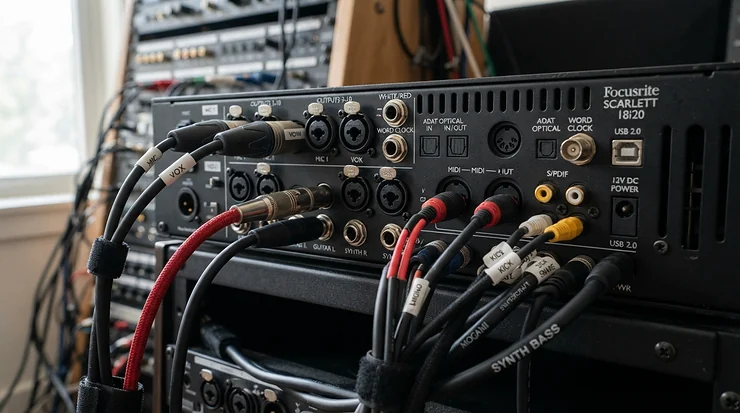
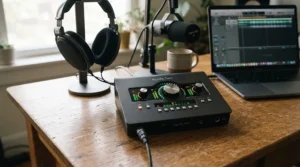
An audio interface for hip hop producers with MIDI is a compact USB box that does two jobs at once. It converts your microphones, keyboards, and instruments into clean digital audio for your DAW, and it carries five-pin MIDI in and out so drum machines, synths, and controllers can talk to your computer without a second gadget. 🎛️
Choosing the right audio interface for hip hop producers with MIDI matters more than most gear debates, because it sits at the crossroads of your whole rig. Everything you record passes through it. Everything you hear comes out of it.
Here’s the catch: most interfaces sold today have no MIDI ports at all. MIDI was standardized back in 1983 and still runs on a five-pin DIN connector at its core, yet plenty of popular two-channel boxes quietly dropped that connector to save space. If your studio includes a hardware sampler, a drum machine, or an older keyboard, that omission becomes a daily annoyance.
So this guide does the filtering for you. We looked at current specs, retailer listings, and published roundup coverage to land on seven real interfaces that pair solid recording quality with true MIDI in out connectivity, from budget bedroom setups to a four-mic collaboration desk. Along the way you’ll get honest spec analysis, setup walkthroughs, and a straight answer on whether 96 kHz is worth chasing.
Quick Comparison: Audio Interface for Hip Hop Producers with MIDI at a Glance
Before the deep dives, here’s the whole field on one screen. Prices are ranges at the time of research, so check current pricing before buying.
| Product | Analog I/O | MIDI I/O | Max Sample Rate | Price Range | Best For |
|---|---|---|---|---|---|
| Focusrite Scarlett 4i4 4th Gen | 4 in / 4 out | Yes | 192 kHz | $250–$320 | Focusrite Scarlett 4i4 4th Gen suits vocals plus a keyboard |
| MOTU M4 | 4 in / 4 out | Yes | 192 kHz | $250–$320 | MOTU M4 suits metering fans who track a lot |
| Arturia MiniFuse 2 | 2 in / 2 out | Yes | 192 kHz | $120–$170 | Arturia MiniFuse 2 suits small desks and beat makers on a budget |
| PreSonus Studio 24c | 2 in / 2 out | Yes | 192 kHz | $150–$230 | PreSonus Studio 24c suits all-metal portability |
| Universal Audio Volt 476P | 4 in / 4 out | Yes | 192 kHz | $350–$450 | Universal Audio Volt 476P suits four-mic sessions |
| Behringer UMC404HD | 4 in / 4 out | Yes | 192 kHz | $100–$150 | Behringer UMC404HD suits the lowest cost per preamp |
| PreSonus AudioBox 96 | 2 in / 2 out | Yes | 96 kHz | $100–$140 | PreSonus AudioBox 96 suits first-time buyers |
Looking at the table, the four-channel models cost more than the two-channel ones for a reason: extra inputs mean you can record a rapper, a hype-man, and a keyboard together. If your priority is simply getting MIDI into a tiny desk setup, the Arturia MiniFuse 2 and PreSonus Studio 24c deliver the most MIDI per dollar. The PreSonus AudioBox 96 tops out at 96 kHz, which sounds like a downgrade on paper but rarely matters for beat making, as the sample-rate section explains.
💬 Just one click — help others make better buying decisions too!😊
Top 7 Audio Interfaces for Hip Hop Producers with MIDI: Expert Analysis
Each pick below is a real, current model. The analysis is built from published specs and aggregated review sentiment, not hands-on testing, so treat it as research, not a lab report.
1. Focusrite Scarlett 4i4 4th Gen — best all-rounder for vocals plus keys
The Focusrite Scarlett 4i4 4th Gen is the “I want one box and no regrets” option. It pairs two mic/line/instrument preamps with two extra line inputs, four line outputs, and MIDI in and out, all bus-powered over USB-C.
The 24-bit/192 kHz converters are rated at 120 dB of dynamic range, which in practice means quiet vocal takes stay clean even when you bring the gain up. Auto Gain and Clip Safe are the sleeper features. They set a safe level in seconds, which matters when a rapper delivers one perfect take and never repeats it.
Based on the spec comparison, this is the interface to beat for a producer who records vocals and plays a keyboard. The two extra line inputs let a drum machine sit permanently patched in. Loopback is built in, so you can capture browser or sample-pack audio into your DAW.
Retailer ratings I found sit around the mid-4s out of 5, and roundup coverage repeatedly singles it out for MIDI. One useful warning from that coverage: only the 4i4 and larger Scarlett models have five-pin MIDI, so don’t confuse it with the Solo or 2i2.
Pros:
- ✅ Auto Gain and Clip Safe protect vocal takes
- ✅ MIDI in/out plus loopback in one box
- ✅ Two line inputs for permanent synth patching
Cons:
- ❌ Only two mic preamps for group sessions
- ❌ Limited headroom for expanding beyond four inputs
Price: roughly the $250–$320 range. Strong value for what you get.
2. MOTU M4 — best metering and conversion in the mid-tier
The MOTU M4 offers a 4×4 USB-C layout with two mic preamps, MIDI I/O, loopback, and a front-panel LCD that shows input and output levels at a glance. The ESS Sabre32 DAC is the headline for playback clarity.
Why does a display matter for hip hop? Because gain staging is where most home beats go wrong. A meter you can actually read means you spot a clipping 808 or a hot vocal before it hits your DAW.
On paper, that DAC translates into a more detailed monitor feed, which helps when you’re hunting for low-end problems in a kick-and-sub combination. Roundup coverage consistently praises its conversion and positions it as a great all-rounder for studios with one or two hardware synths.
It also works with Mac, Windows, and iOS, which is handy if you sketch ideas on an iPad.
What most buyers overlook is the physical layout. The headphone output has its own control, and the monitoring knobs are easy to reach mid-session. For a beat maker who lives in headphones at night, that’s real quality-of-life.
Pros:
- ✅ Readable LCD level meters on the front
- ✅ ESS Sabre32 DAC for detailed monitoring
- ✅ Loopback and MIDI I/O on a 4×4 layout
Cons:
- ❌ Only two mic preamps
- ❌ Pricier than entry-level MIDI interfaces
Price: around the $250–$320 range. Excellent value if metering matters to you.
3. Arturia MiniFuse 2 — best compact MIDI interface for tight desks
The Arturia MiniFuse 2 is the small-desk specialist. It packs two combo XLR/TRS inputs, two TRS outputs, five-pin MIDI I/O, and loopback into a footprint that fits beside a laptop. Several roundups name it a top pick for connectivity rather than one headline audio spec.
That’s the right way to think about it. Where a bigger interface wins on preamp count, the Arturia MiniFuse 2 wins on being easy to live with. If you’re running a small bedroom studio, a drum machine, and a MIDI keyboard, it handles the whole chain without a single adapter.
Published coverage also notes a five-year warranty and a bundled creative software package, which stretches the value further for first-time buyers. At 192 kHz support, it matches interfaces costing twice as much on the spec sheet.
The trade-off is expandability. Two inputs cover one vocalist and one instrument, or a stereo synth, but not a full session. For a solo beat maker who records the occasional verse, that’s usually plenty.
Reviewers tend to rate it highly, with one roundup listing it near 4.7 out of 5, though I couldn’t verify a large independent review pool.
Pros:
- ✅ Five-pin MIDI I/O in a very small body
- ✅ Loopback for capturing app audio
- ✅ Long warranty and bundled software
Cons:
- ❌ Only two inputs for recording
- ❌ Not suited to full band tracking
Price: about the $120–$170 range. Great value for beat makers.
4. PreSonus Studio 24c — best all-metal portable for MIDI gear
The PreSonus Studio 24c is a 2×2 USB-C interface with two XMAX-L solid-state preamps, 48V phantom power, balanced TRS outputs, and a MIDI in/out pair on the back. It’s bus-powered, all-metal, and includes Studio One Artist.
Its secret weapon for hip hop is the direct monitoring mix knob. Blend your live input with the computer’s playback and you can record a vocal over a beat with zero audible delay, which is essential when a rapper needs to hear themselves tight against the drums.
The DC-coupled line outputs are a bonus for producers who tinker with modular or CV/gate gear. Most beat makers will never touch that feature, but it signals the unit is built for hardware-heavy rigs.
Roundup coverage calls it a practical starter that avoids the cost of a larger studio interface, and retailer pages emphasize its sturdy metal chassis. Those claims line up with the specs: the controls feel purposeful rather than toy-like.
Retailer reviews I found were few, so treat sentiment as generally positive but thinly sampled.
Pros:
- ✅ Direct monitor mix knob for zero-latency tracking
- ✅ Sturdy all-metal build with LED meters
- ✅ Studio One Artist included
Cons:
- ❌ Only two inputs and two main outputs
- ❌ Smaller review pool than rivals
Price: around the $150–$230 range. Strong value for MIDI beat makers.
5. Universal Audio Volt 476P — best for four-mic hip hop sessions
The Universal Audio Volt 476P is the studio-hub pick. It offers four mic preamps, dual headphone outputs, 48V phantom power, direct monitoring, and MIDI I/O, wrapped in a USB 2.0 body with 24-bit/192 kHz conversion.
The headline feature is the vintage mode, which models the character of classic Universal Audio 610 preamps. The built-in compressor is inspired by the legendary 1176, a staple on rap vocals. Together, they let you add attitude at the source instead of fixing it later.
Dual headphone outputs matter more than they sound. In a cypher session, a rapper and a producer can both monitor the same mix without a splitter. That’s a small practical win you won’t see on competing spec sheets.
One caution: the 476P replaces the line inputs on channels 3 and 4 with extra mic preamps, so synths need to connect through those mic inputs or the main pair. Plan your patching accordingly.
Retailer ratings look strong, though at least one buyer review voiced disappointment, so check the return window.
Pros:
- ✅ Four mic preamps with a vintage mode
- ✅ 1176-inspired compressor suits rap vocals
- ✅ Dual headphone outputs for two people
Cons:
- ❌ No dedicated line inputs on channels 3 and 4
- ❌ Costs noticeably more than budget rivals
Price: roughly the $350–$450 range. Premium option, worth it for groups.
6. Behringer UMC404HD — best budget 4×4 with MIDI
The Behringer UMC404HD is the value bully. It delivers a 4×4 USB audio/MIDI layout, four MIDAS-designed mic preamps with +48V phantom power, and one MIDI in/out pair for a fraction of the premium models.
Do the math on cost per preamp and nothing else in this guide comes close. For a producer who wants four mics for a crew session, or simply room to grow without buying again, that’s compelling.
The honesty clause: budget pricing usually means trade-offs in finish and software polish. Windows users typically install Behringer’s ASIO driver, and the bundled software isn’t as generous as the PreSonus or Focusrite packages.
Roundup coverage positions it squarely for budget-minded users who want four inputs and MIDI in one unit, and that framing is accurate. It’s a workhorse more than a showpiece.
If your sound relies on a quiet, flattering vocal chain, it’s worth spending a little more on a premium preamp. If your sound relies on samples and synths, this interface leaves more cash for the gear that actually shapes your beats.
Pros:
- ✅ Four mic preamps at a tiny price
- ✅ MIDI I/O included on a 4×4 unit
- ✅ Room to grow into group sessions
Cons:
- ❌ Software bundle is lighter than rivals
- ❌ Windows driver setup needs attention
Price: about the $100–$150 range. Best raw value on this list.
7. PreSonus AudioBox 96 — best first interface with MIDI
The PreSonus AudioBox 96 is the beginner on-ramp. It runs 24-bit/96 kHz converters, two Class-A preamps, MIDI in and out, and bus power over USB, all for roughly the price of a nice pair of headphones.
The 96 kHz ceiling looks modest next to the 192 kHz models, but for hip hop it’s rarely a handicap. Most sample-based production lives at 44.1 or 48 kHz anyway, and the savings go straight into monitors.
On balance, this is the sensible choice if you’re building your first studio and want MIDI from day one. Two preamps cover a mic and a guitar, or a mic and a synth, and the included software gets you recording on day one.
Roundup coverage lists the Class-A preamps and MIDI ports as the draw, and the 25th Anniversary edition is the version to look for. I couldn’t verify a deep review pool for this edition, so rely on the spec sheet over star ratings.
What it won’t do is scale. If you outgrow two inputs, you’ll upgrade, which is fine. That’s what a first interface is for.
Pros:
- ✅ Cheapest way to get MIDI I/O
- ✅ Two Class-A preamps for vocals and a synth
- ✅ Simple bus-powered setup
Cons:
- ❌ Capped at 96 kHz
- ❌ Only two inputs, no loopback
Price: around the $100–$140 range. Smart entry point.
Setting Up Your MIDI Interface: A Practical Usage Guide
Buying the box is the easy part. Setting it up properly is where beat makers save hours.
Step 1: Install drivers first. Plug in only after installing the manufacturer’s driver, especially on Windows. Class-compliant models run on Mac without one, but a vendor driver usually gives you better latency.
Step 2: Set your sample rate and buffer. Start at 44.1 or 48 kHz with a 128-sample buffer. That’s roughly 2.9 ms one-way at 44.1 kHz, fast enough to play pads live. Drop to 64 samples for tight recording and raise it to 256 or 512 when mixing a heavy session.
Step 3: Cable the MIDI correctly. The interface’s MIDI out goes to the synth’s MIDI in, and the synth’s MIDI out returns to the interface’s MIDI in. Crossing them is the most common reason nothing responds.
Step 4: Enable the ports in your DAW. Open your MIDI preferences, switch on the interface’s input and output, and enable “track” and “remote” only where needed.
Step 5: Check direct monitoring. Use hardware monitoring for vocals and software monitoring for virtual instruments.
30-day mistakes to avoid: leaving your buffer at maximum, running USB hubs between interface and laptop, and forgetting to power gear off before swapping MIDI cables. Do a quick monthly check of cables, driver updates, and firmware, and wipe dust from connectors.
Real-World Scenarios: Which Interface Fits Which Producer
Specs only matter when matched to a real workflow. Here are three profiles built from common setups, with reasoning for each.
The bedroom beat maker (budget under $200). You run a laptop, a 25-key controller, and maybe a drum machine. You record vocals twice a month. The Arturia MiniFuse 2 or PreSonus Studio 24c is the sweet spot: MIDI included, small footprint, and enough preamp quality for occasional vocals. If funds are tighter, the PreSonus AudioBox 96 gets you started.
The vocal-focused artist-producer. You record yourself and one friend, play a keyboard for hooks, and own one hardware sampler. The Focusrite Scarlett 4i4 4th Gen or MOTU M4 fits best. Two preamps handle two voices, the extra line inputs hold the sampler and keyboard, and Auto Gain or the LCD meters speed up tracking.
The small-studio crew. You host cyphers with three or four people, a drum machine, and a synth. The Universal Audio Volt 476P gives you four preamps and dual headphone feeds, while the Behringer UMC404HD does a similar job for far less. Choose the Volt if sound character matters, the Behringer if cost does.
Budget, environment, and frequency of use drive the choice, not marketing. A producer recording weekly sessions should pay for preamp quality. A sample-based beat maker should pay for MIDI and monitors.
Problem → Solution: Fixing Common MIDI and Latency Headaches
Even good gear misbehaves. These four problems come up constantly, with fixes you can try right away.
Problem 1: Nothing responds when you play your synth. Check cable direction first, since crossed MIDI in and out is the usual culprit. Then confirm the port is enabled in your DAW and that the synth is on the right MIDI channel.
Problem 2: Notes double-trigger. This often happens when a keyboard sends MIDI over both USB and the five-pin port. Disable one route in your DAW, or turn off local control on the synth if it’s echoing back.
Problem 3: Vocals feel late in headphones. Switch to direct monitoring on the interface so you hear your voice before it travels through the computer. The PreSonus Studio 24c and Focusrite Scarlett 4i4 4th Gen both include dedicated monitoring controls.
Problem 4: CPU spikes and crackles. Higher sample rates make your computer work harder, a trade-off that MusicRadar’s sample rate explainer discusses directly. Drop to 44.1 or 48 kHz, raise the buffer, and close background apps.
Most of these fixes cost nothing. Save the troubleshooting list somewhere handy and you’ll rarely lose a session to a gremlin.
How to Choose an Audio Interface for Hip Hop Producers with MIDI
Use these seven steps to narrow the field fast.
- Confirm true five-pin MIDI I/O. Many popular interfaces have none, so verify the spec rather than trusting the product name.
- Count your inputs honestly. Add every mic, keyboard, and drum machine you’ll connect at once, then add one for growth.
- Match preamps to your voice work. If vocals are the product, spend on preamps. If samples are the product, spend on conversion and monitoring.
- Check monitoring features. Direct monitoring and a dedicated headphone control save you from latency headaches.
- Decide on bus power. A bus-powered interface means one cable and a lighter bag for coffee-shop sessions.
- Review software and DAW integration. Bundled DAWs and plugins can save real money for beginners.
- Budget for the long term. Consider warranty length and expandability so you don’t buy twice.
Run through those in order and most buyers land on two finalists, not seven. From there, the choice is about workflow, not specs.
Audio Interface with MIDI Ports for Beats: Why Five-Pin DIN Still Matters
It’s fair to ask why anyone still wants a five-pin port in 2026, when USB-MIDI exists. The answer is that hardware sampler and drum machine culture never left. Classic gear speaks DIN, and many modern grooveboxes still use it for sync and note data.
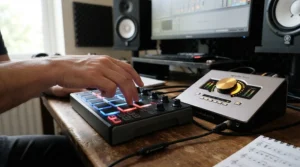
An audio interface with MIDI ports for beats gives you a single, permanent hub. Plug your drum machine’s MIDI out into the interface, and your DAW sees it as a controller. Send MIDI back out, and your DAW sequences the hardware, tight and in time.
Without DIN ports, you’d need a separate USB-to-MIDI adapter, one more cable, one more power concern, one more thing to forget. Built-in ports collapse that into a single box.
Based on the spec comparison, every interface in this guide handles this job. The difference is scale: a 2×2 unit like the Arturia MiniFuse 2 suits one or two pieces of hardware, while the MOTU M4 or Focusrite Scarlett 4i4 4th Gen gives you more audio inputs to capture them. Think of MIDI as the nervous system and audio as the voice. You need both.
MIDI In Out: How the Routing Actually Works
Understanding MIDI in out routing saves hours of confusion. The MIDI Association publishes the MIDI 1.0 specification, which defines the five-pin DIN transport and message format that interfaces still follow today.
Here’s the plain-English version. MIDI is one-way traffic on each cable. The “out” port sends messages, such as notes and clock, and the “in” port receives them. Two devices that talk to each other need two cables.
For a typical hip hop rig, you’d run a keyboard’s MIDI out into the interface’s MIDI in, so your DAW can record notes. Then you’d run the interface’s MIDI out into a drum machine’s MIDI in, so your DAW can trigger it. Add a MIDI clock, and everything stays locked to the same tempo.
A single MIDI in and out pair handles 16 channels each, which is plenty for most beat setups. If you need more devices, a MIDI thru box or a larger interface expands the chain. Most models here, including the Behringer UMC404HD and PreSonus Studio 24c, offer one pair, which is exactly the right amount for a compact studio.
Producer Audio Interface for Vocals and Keyboard: Building a One-Box Rig
Many producers wear two hats: engineer on the beat, vocalist on the hook. A producer audio interface for vocals and keyboard needs to serve both without a patch-bay.
The recipe is simple. One preamp for the mic, one input for the keyboard, MIDI for the controller keys, and direct monitoring so the vocal feels immediate. The Focusrite Scarlett 4i4 4th Gen nails this, with two preamps plus two line inputs and MIDI on top.
Keyboards come in two flavors. A MIDI-only controller sends note data over USB or DIN, and the interface isn’t involved in the sound. A keyboard with built-in sounds outputs audio that needs a line input. Know which one you own before you choose.
For a vocal chain, preamp character matters. The Universal Audio Volt 476P adds vintage coloration and compression, while the MOTU M4 leans on clean conversion. Neither is “better.” They suit different tastes: gritty and forward, or clear and neutral.
If your keyboard is a simple controller, even a two-input unit like the PreSonus AudioBox 96 works well. The mic takes one input, and the keyboard rides on MIDI alone.
DAW Integration: Drivers, Loopback, and Bundled Software
DAW integration is what separates a smooth session from a frustrating one. The interface has to be recognized quickly, run at low latency, and show up cleanly in your project settings.
Drivers do most of the heavy lifting. On Windows, a vendor ASIO driver typically beats generic options, which is why the Behringer UMC404HD needs a quick install. On Mac, core audio handles most class-compliant units with no setup.
Loopback is the underrated feature. It routes your computer’s audio back into the DAW as an input, so you can record a sample from a browser or capture a software synth. The Focusrite Scarlett 4i4 4th Gen, MOTU M4, and Arturia MiniFuse 2 all list loopback.
Bundled software is a budget perk. The Focusrite package includes Ableton Live Lite and Pro Tools Artist, and the PreSonus units include Studio One Artist. If you don’t own a DAW yet, that’s real value.
Before you buy, confirm compatibility with your DAW and operating system on the maker’s page. A mismatch is rare, but it’s the kind of thing worth thirty seconds of checking.
Sample Rate 96 kHz: Do Hip Hop Producers Actually Need It?
Short answer: usually not, but it’s not useless. Sample rate 96 kHz captures frequencies up to 48 kHz, well past human hearing, and it’s the top rate on the PreSonus AudioBox 96.
Craig Anderton’s sample rate myths breakdown argues that for sounds entering through an interface, few people can reliably distinguish 96 kHz from 44.1 kHz on the same system. His case for higher rates is narrower: certain synth and plugin processing can alias at lower rates, and rendering at 96 kHz avoids that.
So where does it matter? Heavy time-stretching, aggressive distortion, and some virtual instruments benefit. A sample-based boom-bap beat, mostly built from 44.1 kHz source material, gains almost nothing.
The costs are real. Files get roughly double the size of 48 kHz, and your CPU works harder. Projects also need consistent rates across plugins and samples.
A practical approach: work at 44.1 or 48 kHz for tracking and arranging, and render special synth parts at 96 kHz if aliasing bothers you. Every interface here handles that, so don’t pay extra just for higher numbers.
Common Mistakes When Buying an Audio Interface with MIDI
A few errors repeat across forums and buyer’s guides. Avoid these and you’ll save money and time.
Assuming the model line has MIDI. Within one brand, only some models include DIN ports. The Scarlett Solo and 2i2 don’t, while the 4i4 does.
Buying for specs you won’t use. A 192 kHz badge looks impressive, yet most hip hop work happens at 44.1 or 48 kHz. Spend on preamps, monitoring, and I/O instead.
Ignoring input count. Two inputs feel generous until a friend shows up with a mic and a guitar. Plan for your busiest session, not your average one.
Skipping the headphone check. If you track in headphones, a weak headphone output ruins the experience. Look for dedicated level control.
Forgetting power. Some interfaces need a wall adapter for full performance. Bus-powered models are simpler, but check each unit’s requirements.
Overspending on preamps for a sample-based style. If your sound comes from records and plugins, the extra money belongs in monitors and acoustic treatment.
Each of these is cheap to fix before purchase and expensive afterward.
Audio Interface with MIDI vs Other Ways to Connect Gear
Do you actually need an interface with built-in MIDI, or will a USB controller and a separate adapter do? The table below compares three common approaches.
| Approach | Setup Simplicity | Hardware Support | Cost | Best For |
|---|---|---|---|---|
| Interface with built-in MIDI (e.g., Focusrite Scarlett 4i4 4th Gen) | One box, fewer cables | Full five-pin DIN | Moderate | Hardware-heavy beat makers |
| USB MIDI controller only | Very simple | No DIN gear | Low | Software-only producers |
| Interface without MIDI plus USB-MIDI adapter | Extra cable and device | Full five-pin DIN | Moderate to higher | Owners of an existing interface |
The takeaway is clear. If your studio has any five-pin gear, an interface with built-in ports is the tidiest solution. A software-only producer can skip MIDI entirely and spend the savings elsewhere.
The adapter route works but adds clutter and one more failure point. For anyone buying a new interface, paying a small premium for built-in MIDI is usually the smarter long-term move.
Long-Term Cost and Maintenance: What Your Interface Really Costs
The sticker price is only part of the story. Total cost of ownership includes software, accessories, and how long the unit lasts before you upgrade.
| Tier | Example | Price Range | Long-Term Value |
|---|---|---|---|
| Budget | Behringer UMC404HD | $100–$150 | Low entry cost, strong input count |
| Mid-range | MOTU M4 | $250–$320 | Durable, strong conversion, resale value |
| Premium | Universal Audio Volt 476P | $350–$450 | Character preamps, group-session ready |
Interfaces hold resale value reasonably well, especially from recognized brands. A mid-tier unit you keep for five years costs far less per month than a budget unit you replace in two.
Warranty length also matters. The Arturia MiniFuse 2 is listed with a five-year warranty in roundup coverage, which adds peace of mind. Always confirm warranty terms on the manufacturer’s page.
Maintenance is minimal: keep drivers current, store cables untangled, and avoid yanking connectors. Spend your savings on acoustic treatment and monitors, which improve results more than another interface upgrade.
FAQ
❓ Does every Focusrite Scarlett have MIDI ports?
❓ Which audio interface for hip hop producers with MIDI suits a tight budget?
❓ Can I connect a drum machine or sampler to these interfaces?
❓ Will these interfaces work with an iPad?
❓ How many inputs does a hip hop producer really need?
Conclusion
The best audio interface for hip hop producers with MIDI isn’t the one with the biggest spec numbers. It’s the one that disappears into your workflow, so the beat, not the gear, stays the star.
If you want one balanced box for vocals and keys, the Focusrite Scarlett 4i4 4th Gen is the safest bet. If you track a lot and love clear metering, the MOTU M4 earns its place. Tight desks and tight budgets point to the Arturia MiniFuse 2 or PreSonus Studio 24c. Crews who record together should look at the Universal Audio Volt 476P, or the Behringer UMC404HD when cost leads. And the PreSonus AudioBox 96 remains a sensible first step into MIDI.
Remember the big lessons: verify the five-pin ports, count your inputs honestly, and don’t chase sample rates you won’t use. Prices change, so check current pricing before you commit.
✨ Ready to Upgrade Your Beat-Making Setup?
🔍 Take your studio to the next level with these carefully selected interfaces. Click on any highlighted item to check current pricing and availability, and start building the beats, hooks, and hardware workflow you’ve been picturing! 🎹🔥
Recommended for You
- Audio Interface with Loopback for Streaming: 7 Best Picks 2026
- Desktop Audio Interface With Built In Preamp for Ribbon Mics 2026
- Audio Interface for Singer Songwriter with Guitar: 7 Best Picks 2026
Disclaimer: This article contains affiliate links. As an Amazon Associate, I earn from qualifying purchases. If you purchase products through these links, we may earn a small commission at no additional cost to you.
✨ Found this helpful? Share it with your friends! 💬🤗
