
In This Article
Ribbon mics sound like velvet and measure like a whisper. A ribbon microphone suspends a sliver of foil in a magnetic field. Its native output is tiny, even after the internal step-up transformer does its best. Plug one into an interface that’s “fine for condensers,” crank the knob to the stops, and you’ll hear a hiss like a leaky tire. Then you’ll blame the mic. Wrong culprit.
The right desktop audio interface with built in preamp for ribbon mics fixes the problem at the source. It has enough gain to lift that faint signal, and a noise floor low enough that the lift doesn’t drag a wall of hiss along. That’s the whole game. Colors, bundles and fancy meters are garnish.
Everything below is built from published spec sheets, manufacturer documentation and published review sentiment. There’s no invented bench-testing and no pretend “I owned it for a year” stories. Where real user feedback couldn’t be verified, I say so. Prices appear as ranges only, because they move constantly.
We’ll cover seven real interfaces and what their numbers mean in practice. Then come setup, safety, scenarios and troubleshooting, so you can pick the right box and use it well. Along the way we’ll dig into gain headroom, clean gain and the low noise preamp, the three ideas that separate a smooth ribbon recording from a hissy one.
Quick Comparison: Desktop Audio Interface With Built In Preamp for Ribbon Mics
| Interface | Mic Gain | Published Noise Spec | Price Range | Best For |
|---|---|---|---|---|
| Focusrite Scarlett 2i2 (4th Gen) | 69 dB | 120 dB dynamic range | Around $200 | Maximum gain on a budget |
| SSL 2+ MKII | 64 dB | -130.5 dBu EIN | Around $300 | Best gain-to-noise balance |
| Apogee Duet 3 | 65 dB | -128 dB EIN (at 60 dB gain) | $600-$900 range | Premium converters, mobile use |
| MOTU M2 | Up to ~60 dB | -129 dBu EIN | Around $200 | Lowest noise per dollar |
| Audient iD14 MKII | 58 dB | -128 to -129 dB EIN (listings vary) | Around $300 | Expandable home studios |
| Focusrite Clarett+ 2Pre | 57 dB | -129 dBu EIN | $450-$600 range | Polished, ADAT-ready tracking |
| Universal Audio Volt 276 | 55 dB | -127 dBa EIN | $150-$300 range | Loud sources, vintage color |
Look at the table with a ribbon-mic mindset and two patterns jump out. The Focusrite Scarlett 2i2 (4th Gen), SSL 2+ MKII and Apogee Duet 3 are the gain leaders, which matters when a passive ribbon faces a quiet source. The MOTU M2 and SSL 2+ MKII post the quietest published noise specs, so you can push them harder before hiss takes over.
Interfaces near the bottom, such as the Universal Audio Volt 276 and Focusrite Clarett+ 2Pre, aren’t “bad.” They simply suit louder sources like horns and guitar cabinets, where you don’t need to grab every last decibel.
💬 Just one click — help others make better buying decisions too!😊
Top 7 Desktop Audio Interfaces With Built In Preamps for Ribbon Mics: Expert Analysis
Each pick below gets the same treatment. First the spec, then what it means for a ribbon, then honest review sentiment where it exists. Everything here is analysis built on published data, not claims of personal testing.
1. Focusrite Scarlett 2i2 (4th Gen) — the most raw gain on this list
The headline is 69 dB of mic gain. A Mix magazine review noted that Focusrite redesigned the preamp for 13 dB more gain than the previous generation. That’s the difference between “barely acceptable at max” and “healthy levels” on a hard-to-drive mic.
For ribbon work, 69 dB sits comfortably above the roughly 64 dB my back-of-envelope math later in this guide suggests a passive ribbon needs on a quiet acoustic source. In practice, you’ll rarely run the knob to the end of its travel. Based on the spec comparison, this is the interface to short-list if your ribbon is a low-sensitivity passive model and your sources are soft.
Reviewer sentiment is encouraging. Mix’s reviewer recorded acoustic guitar and vocals through a Royer R10 ribbon and called the extra gain welcome. The same reviewer reported healthy SM7B levels without a noise-floor penalty.
Pros:
- ✅ Highest mic gain in this roundup
- ✅ Healthy levels reported on a Royer R10 ribbon
- ✅ Auto Gain and Clip Safe help first-time users
Cons:
- ❌ Only two mic inputs, no digital expansion
- ❌ Extreme gain still raises the noise floor
Price check: around $200, so check current price. Verdict: the best gain per dollar here.
2. SSL 2+ MKII — best gain-to-noise combination
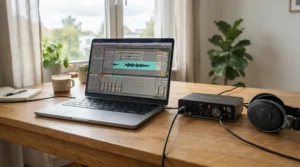
Numbers first: a 64 dB gain range, -130.5 dBu EIN and 116.5 dB dynamic range on the mic inputs. That EIN is the lowest published figure in this roundup, and it matters because ribbon recording is a noise-floor fight. Lower EIN means more of the hiss you hear at high gain comes from the mic and room, not the electronics.
Sound On Sound’s review of the MkII notes the preamps now accept signals peaking higher (+9.7 dBu versus +5.5 dBu before). That’s real gain headroom, so a ribbon placed on a loud source is less likely to clip the input. The reviewer also described the previous-generation 62 dB range as plentiful for spoken word but limited for very loud sources, so the MkII’s change is relevant.
One Music Connection write-up on the SSL 2 family said it had enough gain for low-output ribbon or vintage dynamic mics. Retailers also pitch the MKII preamps as suited to dynamic and ribbon mics, though that’s marketing copy, not review sentiment.
Pros:
- ✅ Lowest published EIN in this group
- ✅ 64 dB gain suits most passive ribbons
- ✅ Switchable 4K analog color circuit
Cons:
- ❌ Headroom is better than before but still modest
- ❌ 4K coloration may be unwanted on dark ribbons
Price check: around $300. Verdict: the sweet spot for most ribbon owners.
3. Apogee Duet 3 — premium converters in a pocketable body
The Apogee Duet 3 offers up to 65 dB of mic gain, with published EIN of -128 dB unweighted at 60 dB gain into 150 Ω. Mic input impedance is listed at 4 kΩ, and maximum AD input at +18 dBu. Apogee’s own support notes say 65 dB covers most mic-preamp needs, since many classic preamps top out around 60 dB.
For ribbons, that 4 kΩ input matters. Thomann’s ribbon guide says preamp impedance should be at least five to ten times the mic’s, so a high-impedance input is a quiet advantage. The stepped-gain design also makes settings repeatable, handy when you return to a ribbon-and-guitar setup.
Honest limitation: I couldn’t verify ribbon-specific owner feedback for this model, so what follows is spec analysis. On paper it balances gain, noise and headroom well, but you’re paying for converters, DSP and design as much as for gain.
Pros:
- ✅ 65 dB gain with repeatable stepped control
- ✅ +18 dBu max AD input level
- ✅ 4 kΩ mic impedance suits ribbons
Cons:
- ❌ Costs far more than similar-gain rivals
- ❌ Breakout cable and optional dock add clutter
Price check: roughly $600-$900 range. Verdict: worth it only if you want the whole package.
4. MOTU M2 — lowest noise per dollar
Published EIN here is -129 dBu, and reviewers on Thomann specifically praised the very clean preamps. Gain is the trade-off: one reviewer pegged it at 60 dB, less than the 69 dB of the Focusrite Scarlett 2i2 (4th Gen). Max mic input is listed at +10 dBu at minimum gain.
Interpretation: a clean 60 dB serves ribbons fine on moderately loud sources like a vocal pushed close or an acoustic guitar played firmly. The quietest sources, such as solo fingerstyle at arm’s length, will ask for a booster. What the spec sheet won’t tell you, but users note, is how useful the full-color LCD meters are. Setting gain on a ribbon is mostly about watching peaks, and visual meters make that quick.
Buyer reviews are positive overall. Verified buyers highlighted headroom and the meters, while one Thomann reviewer flagged the short bundled USB cable.
Pros:
- ✅ -129 dBu EIN at a budget price
- ✅ Full-color LCD input and output meters
- ✅ Individual 48V switches per input
Cons:
- ❌ About 60 dB ceiling limits quiet-source work
- ❌ Bundled USB cable runs short
Price check: around $200. Verdict: superb value if your sources aren’t whisper-quiet.
5. Audient iD14 MKII — expandable console-derived preamps
Each of the two preamps offers a 58 dB gain range, with EIN listed at -128 to -129 dB depending on the retailer. Mic input impedance is 2.8 kΩ, and maximum mic input is 12 dBu. Audient says the preamp design derives from its ASP8024-HE console.
For ribbons, 58 dB is enough for medium-loud sources. It’s tight for quiet ones, so expect to lean on an inline booster for delicate material. The upside is expansion. The optical input accepts ADAT or S/PDIF, so you can add up to eight extra preamps later, a path the 2i2 doesn’t offer.
I couldn’t find enough verified user feedback specific to ribbon use, so I’m sticking to specs. One retailer description says the preamps stay clean with lower-sensitivity dynamics, which is promotional text rather than review evidence.
Pros:
- ✅ Console-derived discrete preamps
- ✅ ADAT/S/PDIF input for later expansion
- ✅ Dual headphone outputs and loopback
Cons:
- ❌ 58 dB is tight for quiet passive ribbons
- ❌ Features more than a one-mic setup needs
Price check: around $300. Verdict: ideal if you plan to grow.
6. Focusrite Clarett+ 2Pre — polished tracking with ADAT growth
Published specs include 57 dB of gain, -129 dBu EIN, 118 dB mic-input dynamic range and +18 dBu max input at minimum gain. Analog Air mode emulates Focusrite’s ISA preamp. An ADAT optical input lets you add eight more preamps later.
On paper, this is a premium-tier low noise preamp with modest gain. That fits ribbons on louder sources, such as brass or amp cabinets, better than whisper-quiet acoustic work. Ribbons are already dark, so Air is the feature to watch; it can brighten a ribbon recording without touching EQ.
I couldn’t verify ribbon-specific user feedback for this model, so treat it as a spec-based recommendation. You’re paying for converter quality and expansion, not extra gain.
Pros:
- ✅ -129 dBu EIN with 118 dB dynamic range
- ✅ Air mode for brightening dark ribbons
- ✅ ADAT input adds eight more preamps
Cons:
- ❌ 57 dB gain trails cheaper rivals
- ❌ Costs more per decibel of gain
Price check: roughly $450-$600 range. Verdict: great for tracking, middling for quiet-source gain.
7. Universal Audio Volt 276 — budget vintage color for loud sources
The Universal Audio Volt 276 lists a 55 dB gain range and -127 dBa EIN. It adds a Vintage Mic Preamp mode inspired by the UA 610 and a 76-style compressor. It’s bus-powered over USB.
Gain is the lowest in this roundup, so it fits ribbons on louder sources like guitar amps and horns. The Vintage mode adds coloration, which can be a pleasant glue on bright sources but may be redundant on already-dark ribbons.
I couldn’t verify detailed ribbon-specific owner feedback for this model, so the take is spec-based. With a 55 dB ceiling, pair it with an inline booster if you want quiet-source performance.
Pros:
- ✅ Budget-friendly entry into UA’s sound
- ✅ Built-in 76-style compressor
- ✅ USB bus-powered and portable
Cons:
- ❌ Lowest gain ceiling in this roundup
- ❌ Vintage coloration may duplicate a ribbon’s warmth
Price check: $150-$300 range. Verdict: fine for loud sources, not a quiet-source tool.
✨ Don’t Miss These Exclusive Deals!
🔍 Take your ribbon mic recordings to the next level with these carefully selected interfaces. Click on any highlighted product name to check current pricing and availability. The right preamp will help you create authentic, noise-free tracks you’ll be proud to share!
Practical Setup Guide: Getting a Clean Signal From Your Ribbon Mic
Even the best interface can’t rescue sloppy setup. Work through this sequence on day one.
- Phantom off first. Check the 48V switch before you plug anything in. As the Pro Tools Expert guide puts it, most modern ribbons tolerate phantom, but switching it off is smart insurance.
- Respect the figure-8. Ribbons hear front and back equally. Treat the rear lobe as a second microphone aimed at your wall.
- Set gain on the loudest moment. Aim for peaks around -12 dBFS, then back off if the meters flicker red. Over-cranking trades noise for headroom you don’t need.
- Move the mic, not the knob. Doubling closeness gives about 6 dB, free and clean. This is the cheapest clean gain available.
- Quiet the room. Fans, laptops and fridges become audible when you’re running 60 dB of gain.
- Shorten the path. Use a short, good cable and keep the interface away from power supplies.
Common first-month mistakes include chasing hiss with EQ, forgetting that ribbons are sensitive to plosives, and hot-plugging with phantom on. Fix those and most “my ribbon is noisy” complaints vanish.
Real-World Scenarios: Matching an Interface to Your Ribbon Setup
Specs don’t pick gear; use cases do. Here are three profiles, with budget, environment and frequency of use.
Scenario A: The home vocalist. A budget ribbon around the $100-$200 mark, a bedroom with soft furnishings, a few sessions a week. Quiet vocals at moderate distance need strong gain, so the Focusrite Scarlett 2i2 (4th Gen) or SSL 2+ MKII fit best.
Scenario B: The acoustic guitarist. A passive ribbon on fingerstyle guitar in a treated room is the hardest case for noise. Choose the SSL 2+ MKII for its published EIN, or the Apogee Duet 3 if budget allows. Expect to add a booster if the source is very soft.
Scenario C: The growing project studio. Horns, guitar cabinets and drums are loud enough that 55-58 dB suffices. The Audient iD14 MKII or Focusrite Clarett+ 2Pre can expand with ADAT, while the Universal Audio Volt 276 works for a tight budget.
| Scenario | Best Pick | Why | Best For |
|---|---|---|---|
| Quiet vocals | Focusrite Scarlett 2i2 (4th Gen) | Highest gain | Bedroom vocalists |
| Quiet acoustic | SSL 2+ MKII | Lowest EIN plus 64 dB | Fingerstyle players |
| Loud sources, expansion | Audient iD14 MKII | ADAT growth path | Project studios |
| Tight budget, loud sources | Universal Audio Volt 276 | Lowest cost entry | Horn and amp tracking |
The pattern: quiet sources reward gain and low noise, loud sources reward headroom and features. If your recording is both, buy for the quiet case and use pads or distance for loud ones. It’s easier to turn gain down than to invent it.
Common Ribbon Mic Problems and How to Solve Them
Problem: hiss at high gain. Move the mic closer, reduce room noise and pick a lower-EIN interface. If the interface is already clean, an inline booster can lift the signal before the noisy stage.
Problem: the sound is dull. Ribbons roll off highs by nature. Try Air on the Focusrite Clarett+ 2Pre, or add a gentle high-shelf EQ in your DAW. Don’t compensate by cranking gain.
Problem: not enough level even at maximum. If the knob is nearly maxed, you’re out of margin. Reduce distance, then consider an inline booster or a dedicated ribbon preamp.
Problem: worry about phantom power. Keep it off by default. If you must use a phantom-powered booster, follow the sequence in the safety section below.
What Is a Desktop Audio Interface With Built In Preamp for Ribbon Mics?
A desktop audio interface with built in preamp for ribbon mics is a compact USB box that turns a ribbon microphone’s very weak signal into a clean digital recording. It combines high-gain, low-noise microphone preamps with analog-to-digital converters, so a passive ribbon can be recorded without a separate preamp, though extra gain may still help on quiet sources.
The key phrase is “built in.” That means no extra box, no extra cable and no phantom-powered middleman. It also means the quality of that preamp is your quality ceiling.
How to Choose a Desktop Audio Interface With Built In Preamp for Ribbon Mics
- Check the mic’s sensitivity. Lower sensitivity means more gain required. Passive ribbons often sit around -52 dBV/Pa or lower.
- Match gain to your quietest source. Plan for 60-65 dB if you record soft acoustic work.
- Compare EIN, not just gain. A low noise preamp keeps hiss down when the knob is high.
- Verify input impedance. The Audient iD14 MKII lists 2.8 kΩ and the Apogee Duet 3 lists 4 kΩ. Aim for at least five to ten times the mic’s impedance.
- Plan for headroom. If you also record loud sources, check max input level.
- Think about growth. ADAT inputs on the Audient iD14 MKII and Focusrite Clarett+ 2Pre let you add channels later.
- Control phantom per channel. Individual 48V switches, like the MOTU M2 has, are safer than a global switch.
Gain Headroom, Clean Gain and the Low Noise Preamp, Explained
Three terms get thrown around constantly, and ribbons need all three.
Clean gain means amplification without audible added noise or distortion. For passive ribbons, it’s the product’s central virtue. As Sound On Sound’s review of a dedicated ribbon preamp explains, vintage ribbons require high-gain, low-noise preamps, and dedicated designs offer 80 dB or more.
A low noise preamp is measured by EIN. A lower number, such as the -130.5 dBu of the SSL 2+ MKII, means less self-noise to amplify.
Gain headroom is the ceiling before the preamp clips. A ribbon can handle very loud sources, but the preamp must too.
Here’s the back-of-envelope math, using illustrative assumptions. A ribbon rated at -52 dBV/Pa on a 74 dB SPL source (quiet guitar from a short distance) outputs about -72 dBV, roughly -70 dBu. An interface that maps +12 dBu to 0 dBFS, like the Audient iD14 MKII, needs about 64 dB of gain to hit -18 dBFS. That explains why 55-58 dB interfaces struggle on quiet sources and 64-69 dB models feel comfortable.
A high gain preamp interface for ribbon microphones isn’t about chasing the biggest number. It’s about enough gain at a noise level you can live with.
Desktop Interface vs Inline Booster vs Standalone Ribbon Preamp
| Option | Typical Gain | Phantom Needed? | Cost Level | Best For |
|---|---|---|---|---|
| Desktop interface (built in preamp) | 55-69 dB | No (keep off for ribbon) | $150-$900 range | Simple home setups |
| Inline booster | Roughly 25-28 dB extra | Yes, to power the booster | Low | Quiet sources on a lower-gain interface |
| Standalone ribbon preamp | 80 dB or more | No | High | Vintage ribbons, critical work |
The table tells a clear story. A built-in preamp is the most convenient and cheapest route, which is why a high gain preamp interface for ribbon microphones is the right starting point for most people. Inline boosters, which product listings describe as adding roughly 25-28 dB, rescue lower-gain units like the Universal Audio Volt 276. Dedicated ribbon preamps are the premium solution for demanding vintage mics.
One caution: inline boosters typically need phantom power to run, according to product listings. Connect the mic first, then enable phantom, and read the booster’s manual.
What to Expect: Audio Interface for Quiet Ribbon Mic Recording
Even a great audio interface for quiet ribbon mic recording can’t remove physics. Thomann’s ribbon guide says a ribbon’s self-noise is roughly equivalent to a condenser of about 18 dB-A. That’s decent, but on very quiet sources you’ll hear it.
User reports on inexpensive ribbons echo this. Thomann buyer reviews of one budget model say it needs a preamp with at least 60 dB of gain, and another buyer warned that hiss gets obvious on solo, quiet acoustic recordings. A forum discussion made the same point: a low-sensitivity mic on a quiet source can’t give a very low noise floor.
What does that mean for you? Expect usable, musical results from the SSL 2+ MKII, Focusrite Scarlett 2i2 (4th Gen) and Apogee Duet 3 on soft sources. Expect to use a booster or closer placement with the Audient iD14 MKII, Focusrite Clarett+ 2Pre and Universal Audio Volt 276. A quiet room, close mic placement and sensible gain staging matter as much as the interface.
Phantom Power and Ribbon Mics: A Safety Guide
Phantom power is the part everyone’s nervous about, so let’s be precise. The Wikipedia entry on ribbon mics says improperly wired older microphones can be damaged, while modern designs have largely made the concern inconsequential. Thomann’s ribbon FAQ advises not applying phantom power to ribbon microphones as a mere caution, and notes that it takes about 60 seconds for phantom voltage to fully disappear after you switch it off. If you accidentally engage phantom, it recommends not pulling the plug, speaking into the mic to check it still works, then switching phantom off and waiting.
My practical advice, based on those sources:
- Keep 48V off for every passive ribbon by default.
- Switch phantom off, wait, then connect or disconnect the mic.
- Use interfaces with per-channel phantom switches, like the MOTU M2.
- Check whether an active ribbon requires phantom before you assume it’s unsafe.
Dedicated ribbon preamps skip phantom altogether, according to Sound On Sound, which is one reason they appeal to vintage-mic owners.
FAQ
❓ Can I record a ribbon mic without an inline booster?
❓ How much gain does a passive ribbon mic need?
❓ Is a low noise preamp more important than maximum gain?
❓ Does a more expensive interface always sound better with ribbons?
❓ Should I buy a standalone ribbon preamp instead?
Conclusion
Ribbon mics reward patience and punish shortcuts. The best desktop audio interface with built in preamp for ribbon mics isn’t the one with the flashiest features. It’s the one whose gain and noise floor match your quietest source.
If you want maximum gain per dollar, the Focusrite Scarlett 2i2 (4th Gen) is hard to beat. If low noise matters most, the SSL 2+ MKII and MOTU M2 post the best published EIN figures. The Apogee Duet 3 is the premium all-rounder, while the Audient iD14 MKII and Focusrite Clarett+ 2Pre make sense when you want ADAT expansion and recording polish. The Universal Audio Volt 276 works for tight budgets and louder sources.
Remember the basics: phantom off, mic close, gain set on your loudest peak, and a quiet room. Do that and even a modest interface can deliver the smooth top end ribbons are famous for. Match the tool to the source, and your next session will sound like velvet instead of static.
Recommended for You
- Audio Interface with Loopback for Streaming: 7 Best Picks 2026
- Audio Interface for Hip Hop Producers with MIDI: 7 Proven Picks 2026
- Audio Interface for Singer Songwriter with Guitar: 7 Best Picks 2026
Disclaimer: This article contains affiliate links. As an Amazon Associate, I earn from qualifying purchases. If you purchase products through these links, we may earn a small commission at no additional cost to you.
✨ Found this helpful? Share it with your friends! 💬🤗
